Boost MicroPython Productivity in VS Code
The IntelliSense and code linting that is so prevalent in modern editors, does not work out-of-the-gate for MicroPython projects. While the language is Python, the modules used are different from CPython, and also different ports have different modules and classes, or the same class with different parameters.
Writing MicroPython code in a modern editor should not need to involve keeping a browser open to check for the exact parameters to read a sensor, light-up a LED or send a network request.
Fortunately with some additional configuration and data, it is possible to make the editors understand your flavor of MicroPython, even if you run a one-off custom firmware version.
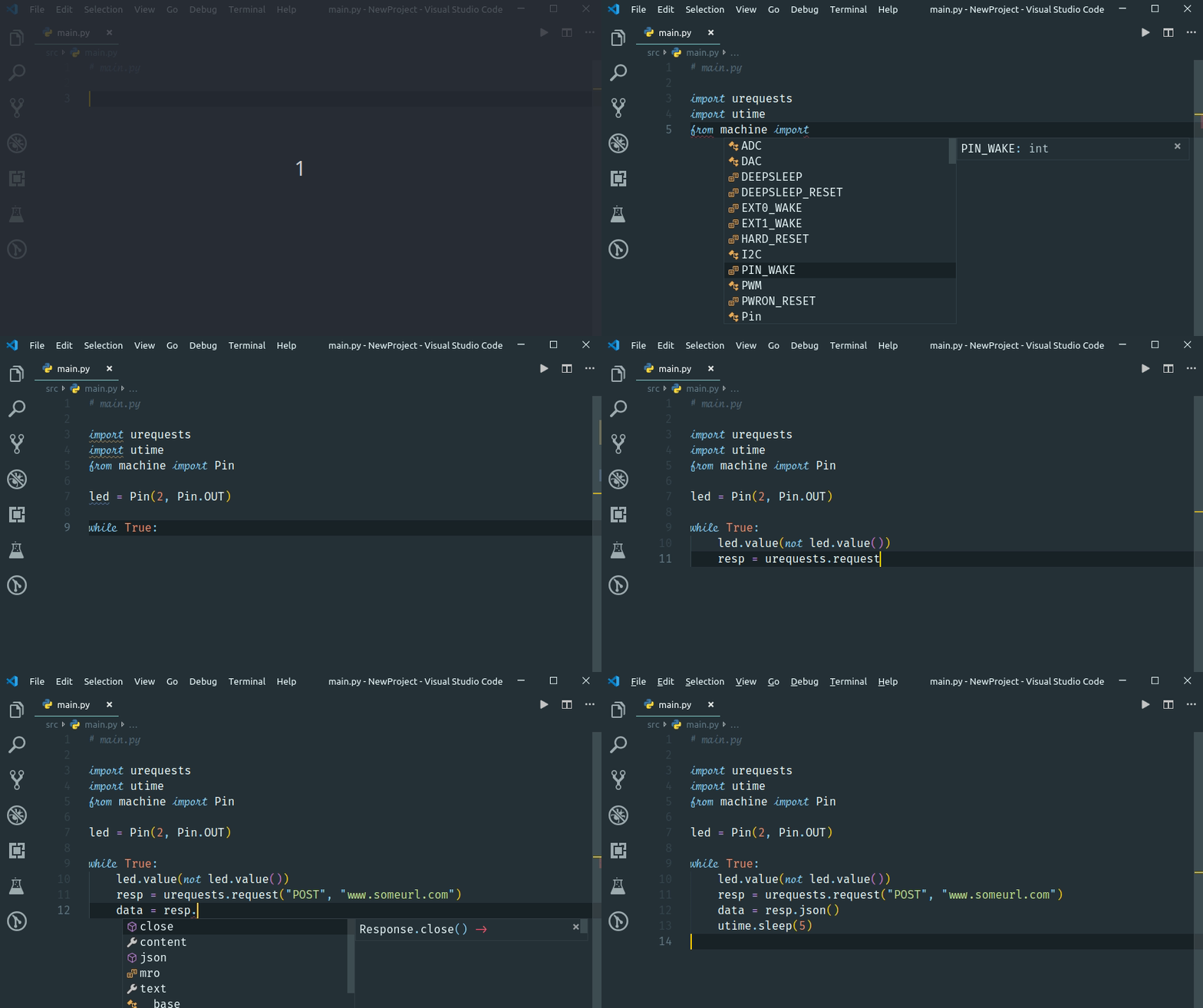
In order to achieve this a few things are needed:
Stub files for the native / enabled modules in the firmware using PEP 484 Type Hints
Specific configuration of the VS Code Python extensions
Specific configuration of Pylint
Suppression of warnings that collide with the MicroPython principles or code optimization.
With that in place, VS Code will understand MicroPython for the most part, and help you to write code, and catch more errors before deploying it to your board.
Ready to create stubs for a new port or board? Jump straight to the Quick Start guide for a step-by-step walkthrough.
Note that the above is not limited to VS Code and pylint, but it happens to be the combination that I use.
You can install most stubs directly from PyPI — it is quite likely that you can just grab a copy to be productive in a few minutes. For now you will need to configure this by hand, or use the micropy cli tool
The sister-repo [MicroPython-stubs][stubs-repo] contains [all stubs][all-stubs] I have collected with the help of others, and which can be used directly. That repo also contains examples configuration files that can be easily adopted to your setup.
A second repo [micropy-stubs repo][stubs-repo2] maintained by BradenM, also contains stubs but in a structure used and distributed by the micropy-cli tool. You should use micropy-cli to consume stubs in this repo.
The (stretch) goal is to create a VS Code add-in to simplify the configuration, and allow easy switching between different firmwares and versions.
Licensing
MicroPython-Stubber is licensed under the MIT license, and all contributions should follow this LICENSE.